Introducing Query Anvil
I wanted one app for my databases. PostgreSQL and MySQL, sure, but also the SQLite file sitting on my computer, a Supabase project and Firebase. Having to change applications because I’ve changed databases gets old pretty quickly.
There are apps that cover multiple databases. Navicat Premium is an obvious example, but it’s expensive as fuck for what I wanted. I wanted broad database support at a price I could justify without turning the purchase into a whole financial decision.
So I built Query Anvil.
It’s a native database app for Mac and Windows, written in Rust using GPUI. You can browse your data, run queries and review changes before applying them. It costs US$70 once, with all future updates included.
And it has a badger. Database software is allowed to have a bit of personality.
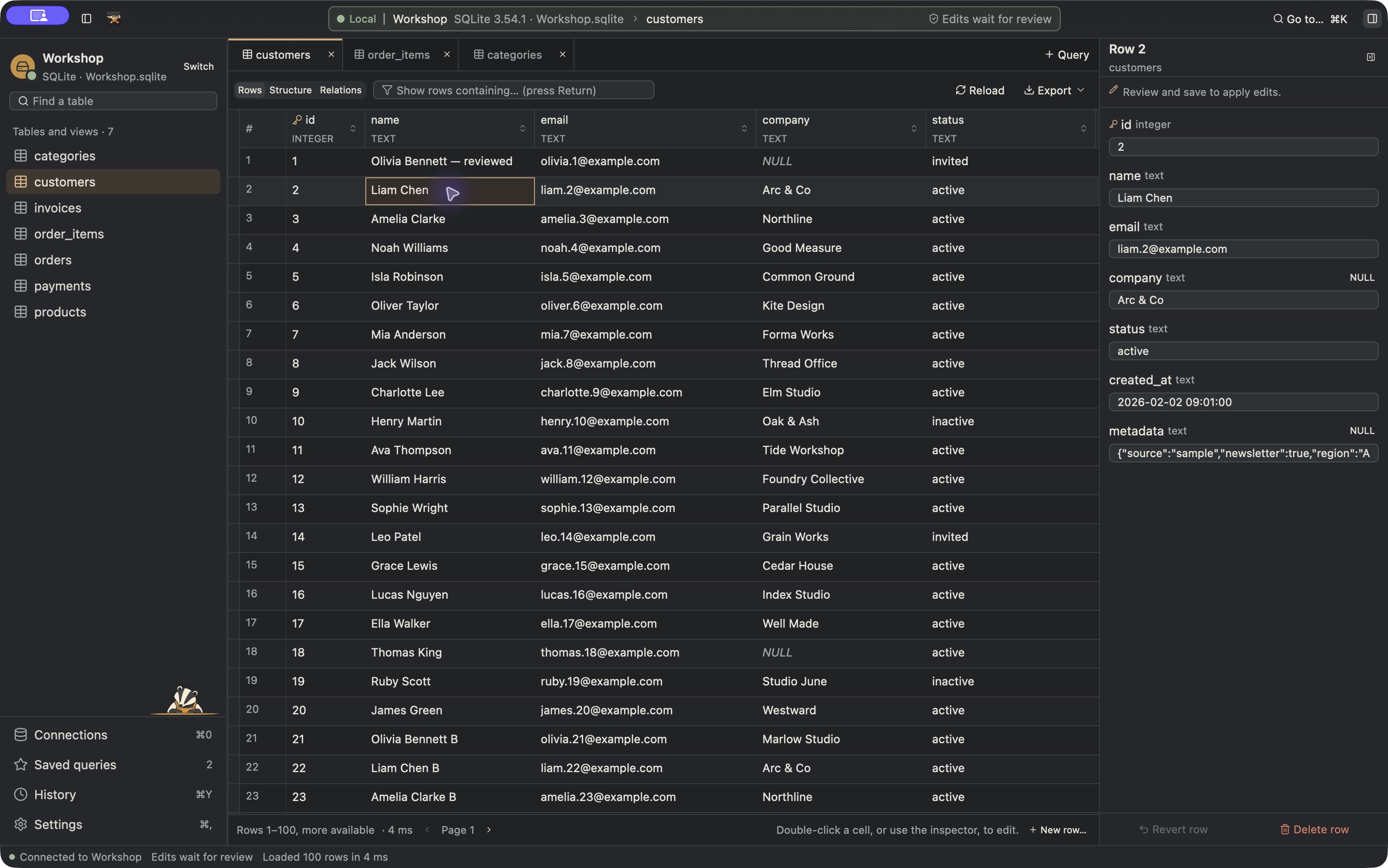
The native Mac app browsing Workshop, the bundled SQLite sample database. All the records in these screenshots are sample data. Click either screenshot to open it at full size.
Supports
The aim is to bring as many of the databases I work with as possible into one app. Relational databases are part of that, but stopping there would’ve missed a large part of the reason I wanted to build it.
Opening a local SQLite file should belong in the same workflow as connecting to a server. And when a project uses Firebase instead, I still want somewhere familiar to inspect its data.
The current connection choices cover:
- PostgreSQL, MySQL/MariaDB, SQL Server and Oracle.
- SQLite and DuckDB for local files.
- Supabase, Neon, CockroachDB and Amazon Redshift through the PostgreSQL adapter.
- Firebase Firestore and Realtime Database.
- MongoDB, Redis, Valkey and Cassandra.
- Elasticsearch and OpenSearch.
- ClickHouse, BigQuery and Snowflake.
Supabase gets a PostgreSQL connection, because that’s the database underneath it. Firebase gets its own explorers and command formats. I haven’t tried to make a Redis key pretend to be a SQL table just so everything looks identical.
Having a connection option doesn’t mean every engine has the same features. Oracle requires Instant Client, for example, and staged grid editing is SQLite-only. The support guide records the available operations and test coverage for each engine.
Supporting as many databases as possible is the ambition. The list above is the current set of connection choices.
Testing
Getting that list working meant painstaking testing against database servers and hosted providers. Creating all those accounts was a pain in the arse. Every provider has its own setup, its own way of handing you credentials and another set of connection details to work through. You finish one and then remember how many are still on the list.
Supabase, Neon, MongoDB Atlas, Firebase and BigQuery were all part of that work, along with database servers running separately. I worked through authentication and TLS, checked what happened with restricted accounts, and tested browsing and writes against disposable data. Supabase’s poolers and Firebase’s two different databases each needed attention. A connection working in one place doesn’t tell you enough about how it’ll behave somewhere else.
This was a fairly tedious way to spend my time. It’s also work I’d want someone to do before selling me a database client. The point of having all these databases in one app falls apart pretty quickly if you select the one you need and discover nobody got further than adding its name to a dropdown.
I’ve kept the engine-specific test coverage and remaining limits in the support guide. Different server versions and permission setups still matter, even when the app gives you a familiar place to work with them.
Using it
The everyday workflow should be familiar if you’ve used a database client before. Pick a connection, find a table or collection, inspect some data and open a query tab when you need to ask a more specific question. There are saved queries for the ones you keep coming back to, plus optional query history.
For SQL databases, you write SQL. Cassandra uses CQL. Document stores and Firebase have structured JSON commands, and Redis/Valkey use JSON argument arrays. The interface gives each of those a console appropriate to the database.
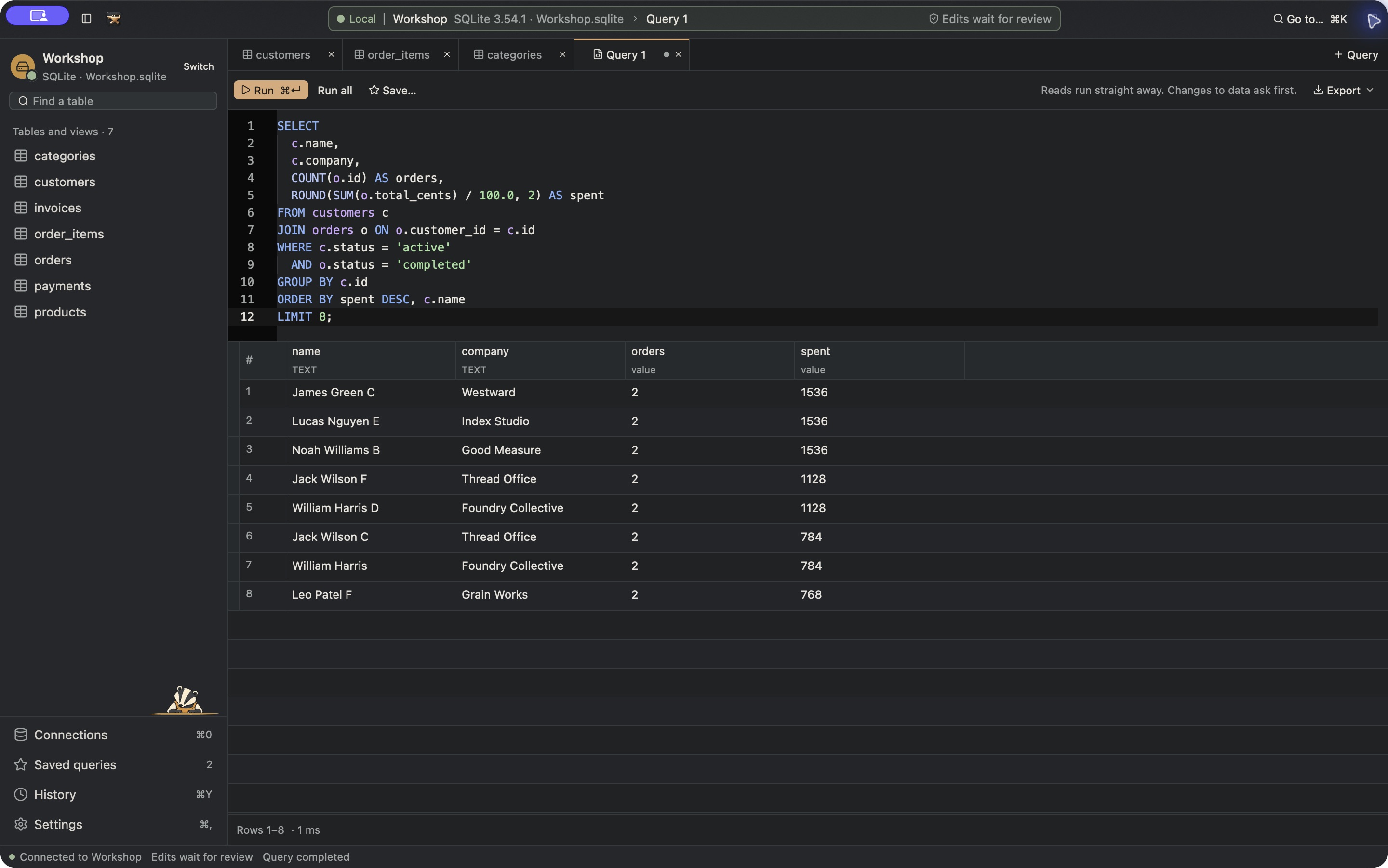
A query against the sample customers and orders tables, with its results underneath.
You can export the loaded page as CSV or JSON. That’s a page export, so don’t point it at a million-row table expecting it to dump the whole database. SQLite also has a native backup option for making a separate database file.
For SQLite tables with a primary key, you can edit cells and stage inserts or deletes. Those edits wait for review before they’re written. Other SQL engines use reviewed queries for writes, while document stores have their own editing flows. I want those differences to be clear before someone buys the app expecting a feature to work everywhere.
There’s a bundled sample database called Workshop, with seven related tables. The screenshots here use it. Once you’ve activated the app, you can open the sample and explore without pointing it at a database you care about.
I chose Rust and GPUI for a native desktop interface. There’s no webview inside the app. The website has a clickable demo if you want a look at the workflow before buying, but these screenshots are from the Mac app itself.
Safety
An app that makes changing data convenient should also make it obvious when you’re about to change something.
Query Anvil shows statements that could modify data for review before running them. Connections marked as Production are always read only. Remembered passwords and tokens go into macOS Keychain or Windows Credential Manager, and remote connections verify TLS.
I’d still use a database account with read-only permissions for production access. The app’s restrictions are useful, and the database’s own permissions should be there as well. A confirmation dialog doesn’t make a bad query a good idea.
Pricing
Query Anvil is US$70 once for a lifetime licence. All future updates are included, and a licence covers five active computers across Mac and Windows. Applicable tax is shown at checkout.
For comparison, DbGate Premium is US$120 a year, and DBeaver Lite is US$113 a year at the time of writing. Both have free Community editions, but Firestore support sits in their paid editions (DbGate’s support matrix, DBeaver’s Firestore guide). Query Anvil’s lifetime price is less than a single year of either paid plan. Broad database support at an affordable price was the whole reason for building this, and all the supported databases are included in that US$70.
You don’t need a separate Query Anvil account. Lemon Squeezy handles the purchase and gives you a licence key. Activation needs an internet connection; after a successful licence check, you can work offline for up to seven days before another online check is required. The licensing guide has the details.
The Mac download is Universal, covering Apple Silicon and Intel on macOS 14 or later. The Windows download needs 64-bit Windows 10 or later, with an installer and a portable ZIP available. The Windows build is currently unsigned, which can mean a warning or an installation block depending on your security settings. The installation guide covers that.
Linux support is coming too.
You can buy Query Anvil and try the website demo at queryanvil.com. If there’s a database missing that you use every day, or a workflow that makes you reach for another app, contact us. I’d like to hear what you’re using and what you need to do with it.
Comments